Join and be a part of
revolutionary education!
Contact us to get a demo of Vidh.
Download Our Mobile
App For Parents
Available on iOS and Android.


Contact us to get a demo of Vidh.
Available on iOS and Android.
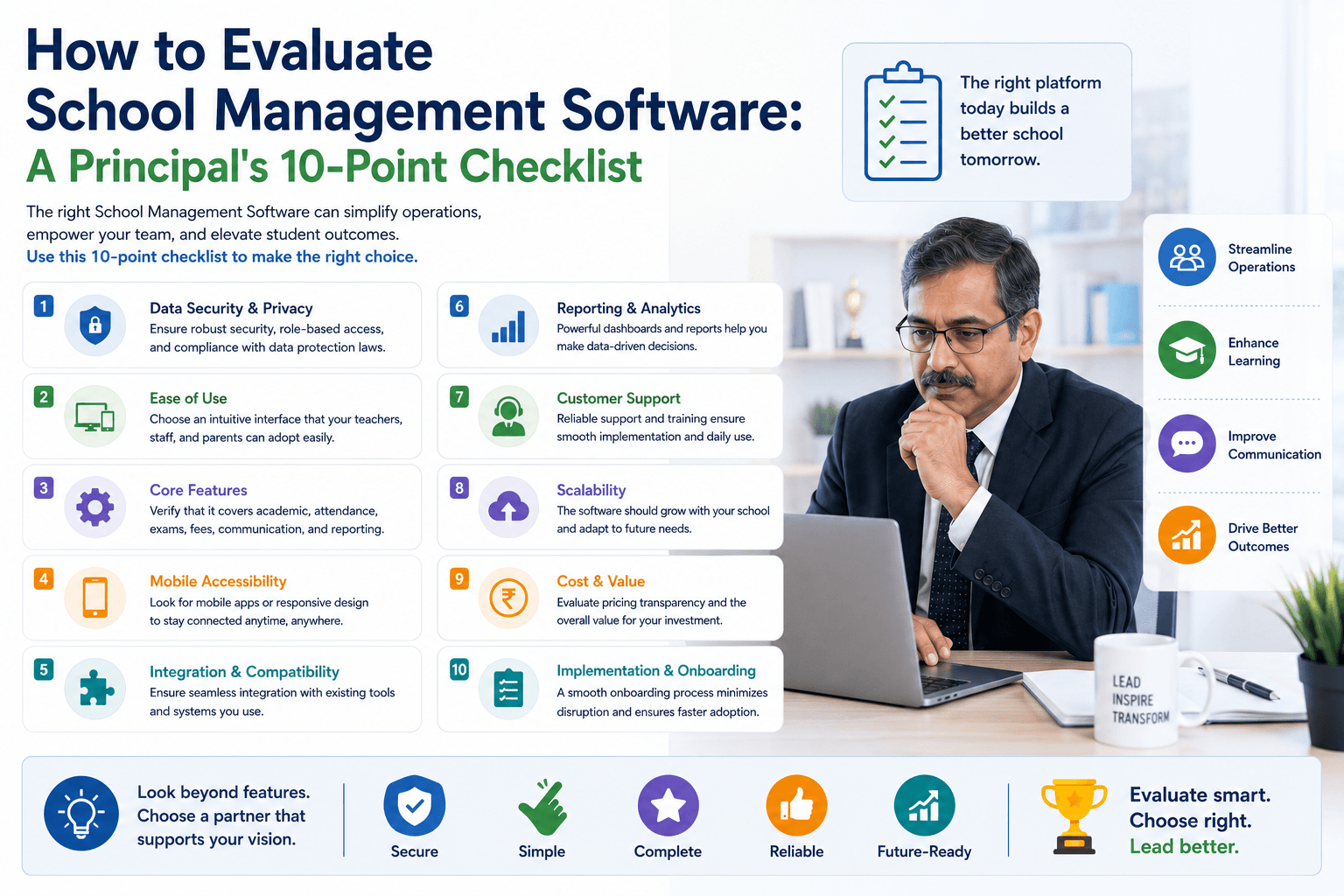
Choosing a school ERP platform is a long-term commitment. Before you sign anything, run through this checklist to make sure you're asking the right questions.
Choosing a school management platform is one of the highest-impact operational decisions a school leadership team can make - and one of the most underestimated in terms of due diligence.
Most schools evaluate software the wrong way: they watch a demo, like the interface, and sign a contract. Three months later, they discover that the feature they needed most was not included, or that the data migration they assumed was standard actually costs extra, or that their staff was never properly trained because training was not part of the package.
This checklist is designed to prevent that outcome.
1. Does it cover all your core operational modules?
A proper school ERP should address: Academics (curriculum, lesson plans, assessments), Admissions, Fee Management, Transport, Staff Management, Attendance, and Inventory. Ask whether all of these are live features or roadmap promises. Ask which ones are included in your plan and which are add-ons.
2. How granular is the permissions system?
Different roles - principal, class teacher, subject teacher, bus assistant, accountant — need access to different parts of the system. Ask for a live demonstration of how permissions are configured. A bus assistant should not be able to see student fee records. A teacher should not be able to modify the fee structure. If the platform cannot show you granular role-based access control, that is a red flag.
3. Can it handle your fee structure?
Fee structures in schools are more complex than most software is built for. Ask specifically: can fees be configured class-wise, school-wide, and per individual student separately? Can concessions be applied with authority restricted to the principal? Does the system handle installment payments? What happens to historical dues when students are migrated into the system?
4. How does data migration work?
If your school has existing student records, fee histories, or academic data, you need to understand exactly how that data moves into the new platform. Ask whether bulk import templates are provided. Ask who is responsible for the migration - you or the platform team. Ask how long it typically takes and what the error-resolution process is if something goes wrong.
5. What is the demo account for?
Before committing, request a demonstration using a fully-populated account - one with real student data, real fee histories, and active modules. A demo with placeholder data tells you almost nothing about how the system performs at scale. A demo with populated data shows you whether the interface holds up, how fast searches run, and whether the reporting is actually useful.
6. How does the parent app work?
Ask to see the parent app from a parent's perspective. What can they see? What can they do? How are notifications handled? Can the school control what appears in the parent app at an administrative level? Understanding the parent-facing experience is as important as understanding the admin interface - this is the product your families will use every day.
7. What are the security credentials?
School data includes sensitive information about minors. Ask directly about the platform's data security certifications. Is the platform certified by a recognized body? How is data encrypted in transit and at rest? Does the platform have audit logs that track every user action? How is access revoked when a staff member leaves?
8. What languages does it support?
If your school serves families who primarily communicate in regional languages, an English-only interface creates a barrier. Ask whether the platform supports native language interfaces for teachers and parents, and whether the AI features - lesson plan generation, communication templates — also work in those languages.
9. What is the support structure?
Software implementations rarely go perfectly. Ask about the onboarding support model: is there a dedicated implementation team? Is training included? What is the SLA for support tickets? What happens if something breaks during a critical period like exam week or fee collection month?
10. What is on the product roadmap?
Schools adopt platforms for years, not months. Understanding where the product is going — what features are in development, what the development philosophy is, how customer feedback influences the roadmap — tells you a great deal about whether this is a long-term partner or a vendor you'll be replacing in two years.
Vidh covers all ten of these checkpoints and welcomes evaluation demos using fully-populated student data. Our team is available to walk you through your specific requirements, not just our standard walkthrough.